Reports
Reports gives you an audit trail and analytics for your account. It expands into two sub-pages: User Activity and Analytics.
Watch the tutorial:
User Activity
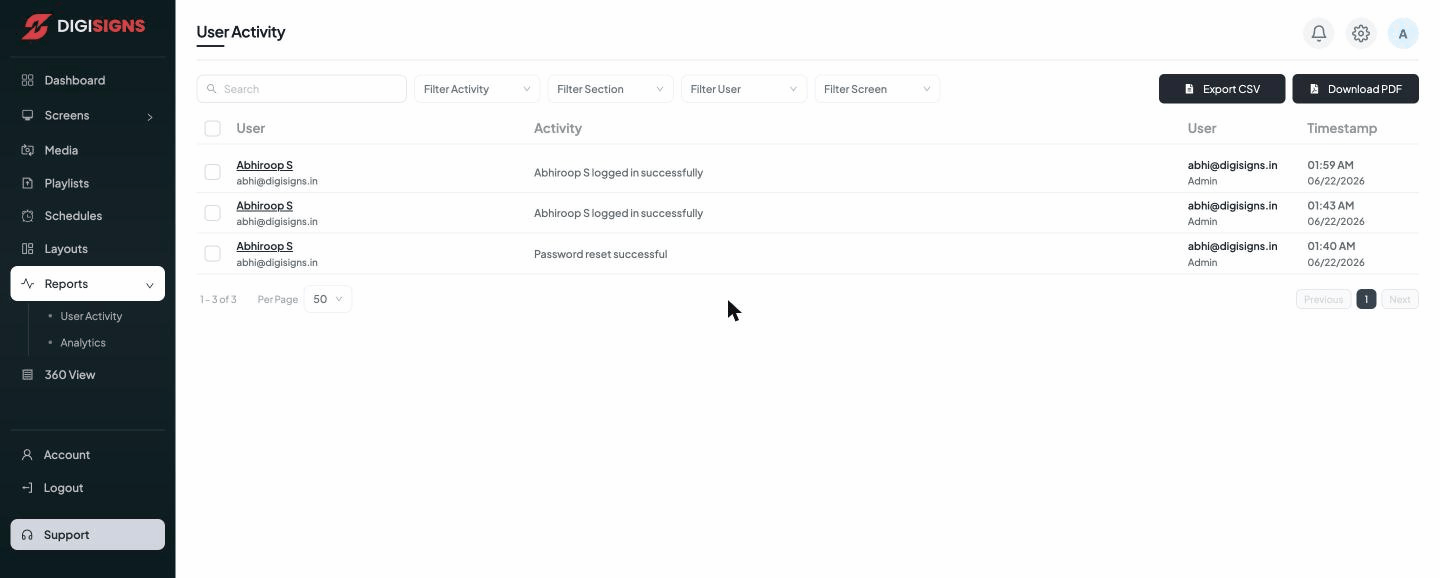
A chronological audit log of everything that happens in your account — logins, password resets, content changes, screen events, and more. Each entry shows the user, the activity, the user's role, and a timestamp.
Filter the log with Filter Activity, Filter Section, Filter User, and Filter Screen, then Export CSV or Download PDF to share or archive it.
Tip
Use User Activity to see who changed a playlist or who a screen was last edited by —
useful when several team members share an account.
Analytics
The Analytics sub-page reports on playback and engagement — for example which content played, how often, and on which screens — so you can measure what your network is actually showing. Combine it with Reports → User Activity for a full operational picture.