Layouts
A layout divides a single screen into multiple zones so you can show several things at once — for example a main video with a sidebar of images, a ticker along the bottom, and a logo in the corner. Layouts are reusable designs you then fill with content.
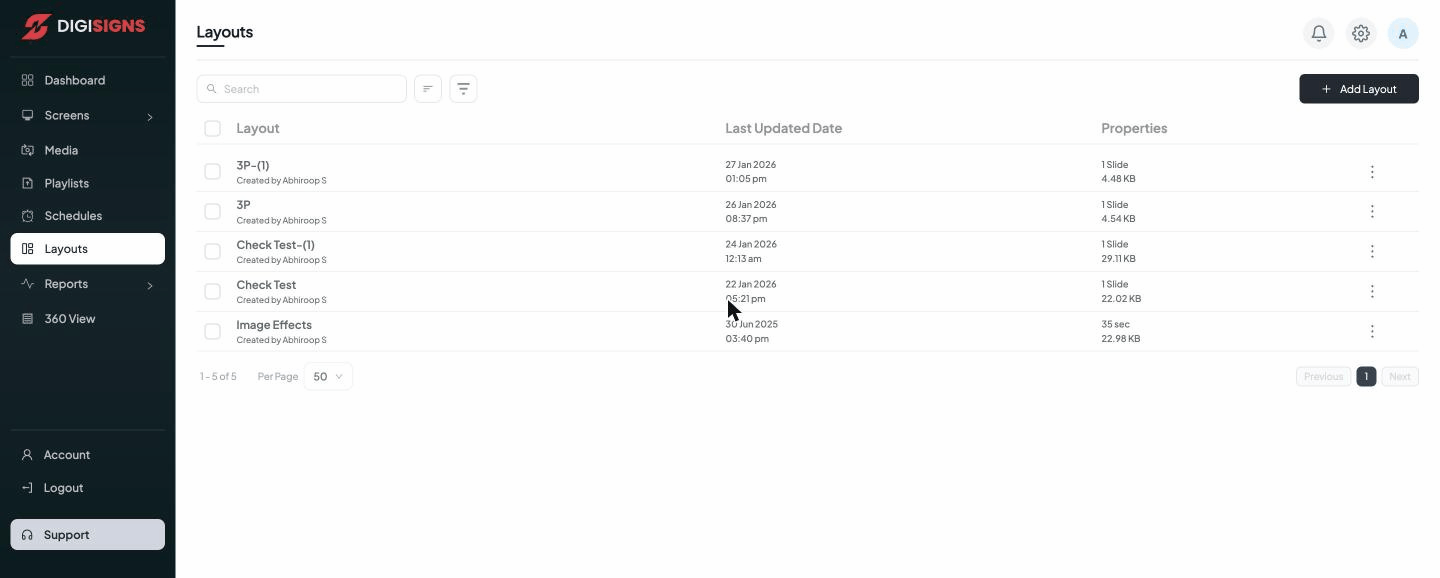
The layout list
Each layout shows its name, who created it, the Last Updated Date, and its Properties (the number of slides/zones and the file size). The three-dot menu lets you edit, duplicate, or delete a layout.
Creating a layout
- Click Add Layout (top right).
- Choose or draw the zone arrangement (split the canvas into regions).
- Drop content into each zone — an image, video, playlist, web link, or app.
- Set each zone's size and position, and its content's duration where applicable.
- Save the layout, then assign it to screens like any other content.
Tip
Design the layout for the screen's orientation and resolution. A landscape layout will
not fit a portrait screen well — create a separate portrait layout instead.