360 View
360 View is a single-page health report for your entire account. It pulls together usage, content, activation, and subscription data so you can understand your deployment at a glance.
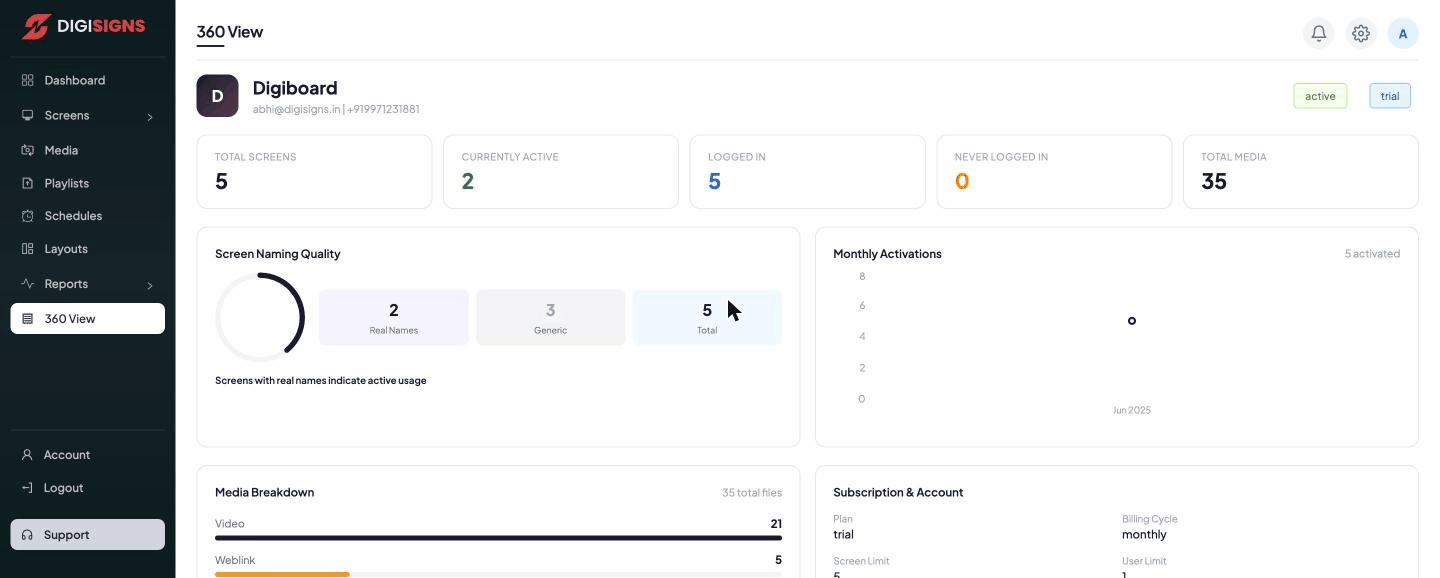
Top metrics
At the top are your organisation's headline numbers:
- Total Screens, Currently Active, Logged In, Never Logged In, and Total Media.
- A status badge showing whether the account is active and its plan (e.g. trial).
Insight panels
- Screen Naming Quality — how many screens have real names versus generic ones. Real names indicate active, well-managed usage.
- Monthly Activations — a chart of how many screens were activated each month.
- Media Breakdown — your library by type (Video, Weblink, Image, YouTube, PDF, Audio).
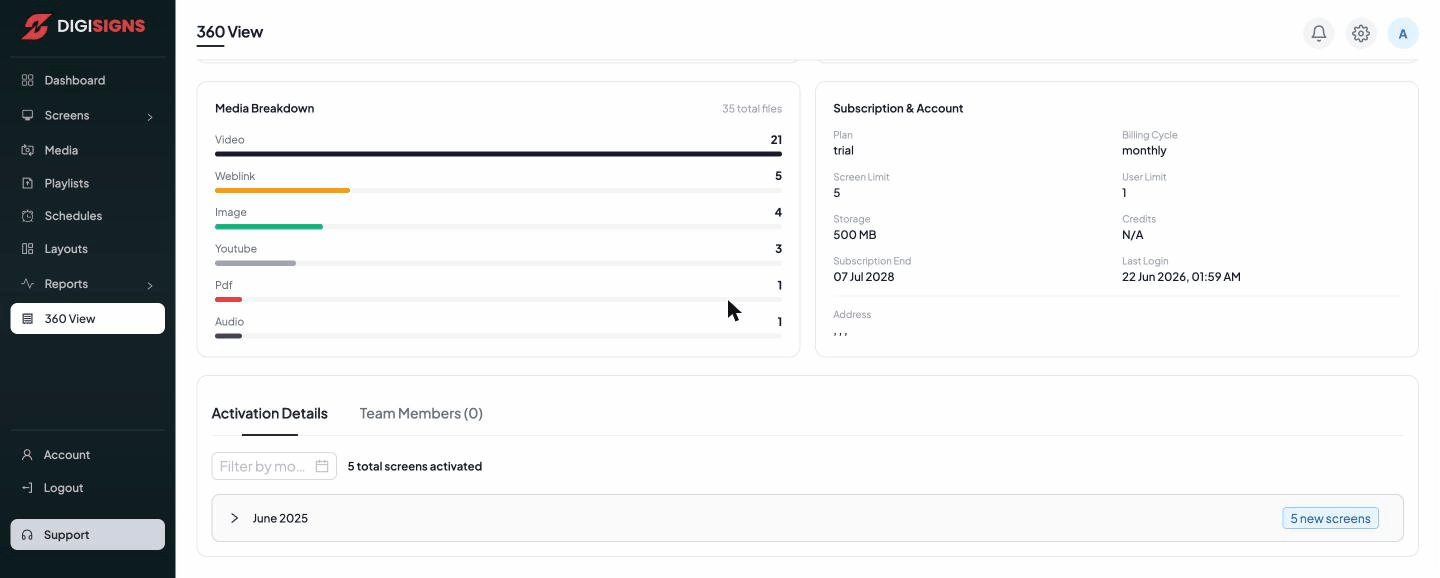
- Subscription & Account — Plan, Billing Cycle, Screen Limit, User Limit, Storage, Credits, Subscription End date, and Last Login.
- Activation Details — when screens were activated, grouped by month.
- Team Members — the people on your account.
Tip
360 View is the fastest way to check your remaining limits (screens, users, storage)
and your subscription end date before they affect your displays.